Apple Maps, Google Maps, and Waze: The Top CarPlay App Showdown
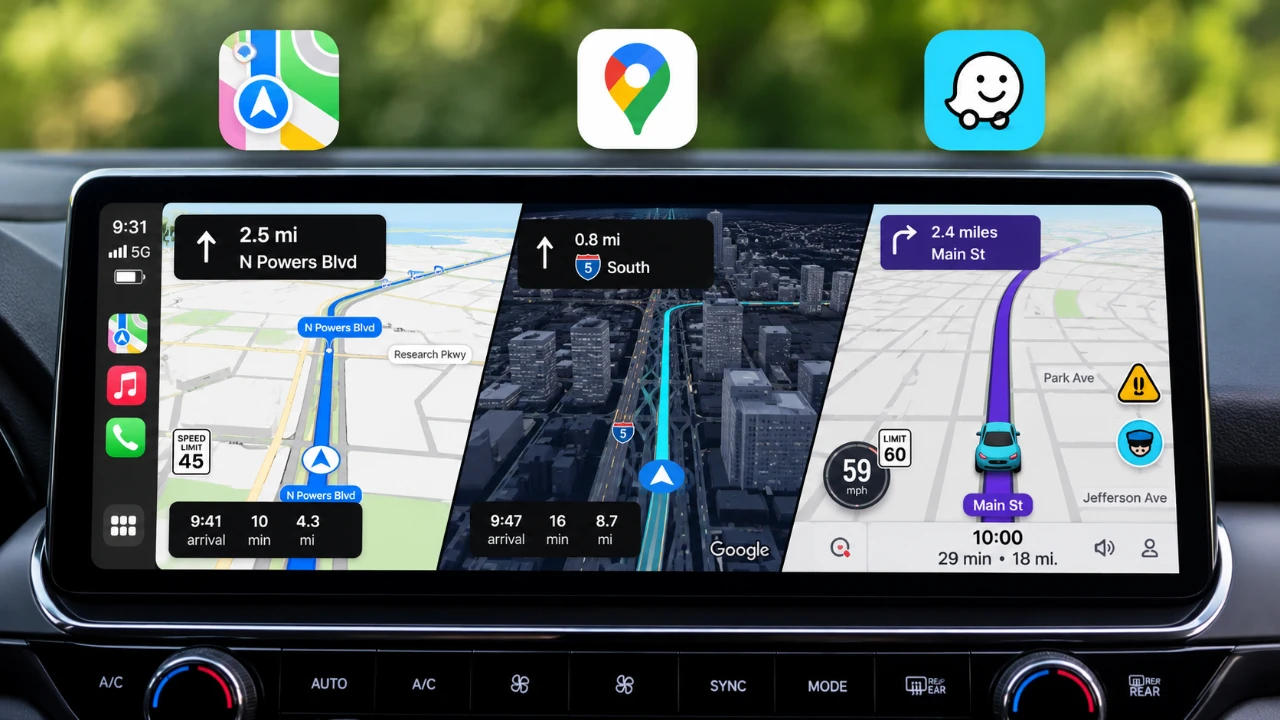
Choosing the appropriate navigation app for Apple CarPlay can significantly enhance your driving experience, making the selection process crucial for users who prioritize efficiency and functionality. Apple Maps, Google Maps, and Waze each present distinctive features and functionalities that cater to different user preferences and driving habits. A media source recently conducted a detailed comparison of these three apps, examining their strengths, limitations, and overall usability to aid users in making an informed choice.
Google Maps remains a frontrunner in the navigation space, renowned for its extensive and versatile features. Recent advancements, such as 3D modeling of buildings and animated overpasses, provide users with enhanced clarity during navigation. Notable features include a live speedometer, which helps monitor driving speed in real-time, and route customization options that allow drivers to avoid toll roads or highways for a more eco-conscious journey. Additionally, Google Maps stands out for its offline navigation capabilities, enabling users to download maps for areas where connectivity may be limited. However, it is worth noting that Google Maps does have some drawbacks on CarPlay—specifically, it lacks pinch-to-zoom functionality and the accuracy of alerts for speed and red-light cameras may not be as precise compared to its counterparts.
Apple Maps has made significant strides recently, especially with its enhancement in iOS 17. The platform now boasts improved GPS accuracy and an intuitive design, promising a more engaging navigation experience. Features like live ETA sharing with friends and seamless integration across Apple devices, such as the Apple Watch, solidify its appeal among Apple ecosystem users. Nevertheless, while offline maps are available, the setup process requires more effort compared to Google Maps’ straightforward download feature. Customization options are also limited, which may not satisfy users looking for personalized navigation.
Waze presents a compelling option with its community-driven approach, providing real-time alerts and a user-centric interface that emphasizes personalization. Key features offer customizable avatars, voice choices, and detailed hazard reporting, enhancing its appeal to users seeking immediate updates on traffic conditions. However, while Waze excels in real-time information sharing, it lacks features such as gas price display and may rely heavily on user input, which can affect overall accuracy depending on local user activity.
When determining the best navigation app for your CarPlay experience, users should consider several key factors including offline navigation capabilities, customization options, device integration, real-time alerts, and visual features. Each app delivers its own unique advantages, creating variations suited to different user needs and preferences. By examining these aspects meticulously, users can select the navigation app that best aligns with their driving requirements, ultimately optimizing their overall experience on the road.
For further information and resources on Apple CarPlay navigation apps, readers are encouraged to explore additional content available.
#business #technology