Windows 11 KB5101684 Released with Speed Improvements and Direct Offline Installer Links
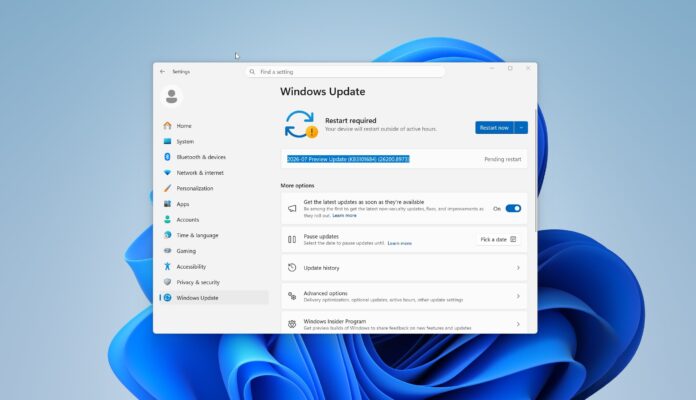
Microsoft has released the Windows 11 KB5101684 update, introducing numerous enhancements designed to improve system performance. The update, now available via Windows Update, requires users to manually initiate the download by selecting the ‘Download & Install’ option. Additionally, Microsoft has made direct download links for offline installation of KB5101684 available through a media source.
Marked as an optional update and categorized as a ‘D’ release, KB5101684 is recognized as the “2026-07 Preview Update.” It will not install automatically unless users opt to enable the “Get the latest updates as soon as they’re available” toggle in settings. Microsoft has previously cautioned users that enabling this feature can lead to the automatic installation of non-essential updates, including optional and out-of-band releases. Users wishing to avoid such updates must ensure this toggle is disabled.
To download the update, navigate to the Settings app, select Windows Update, and click on the ‘Download & Install’ button when it appears. This update elevates Windows 11 version 25H2 to Build 26200.8973 and version 24H2 to Build 26100.8973.
The KB5101684 update weighs in at approximately 5.3GB for standard PCs and 4.9GB for ARM devices. This size reflects ongoing trends involving substantial updates, attributable in part to bundled AI models and enhancements in the Windows Update system.
Significant improvements in this update include optimizations to File Explorer’s functionality, with file sizes now accurately displayed in appropriate units, facilitating better storage management. Additionally, the Windows Search feature has been enhanced, enabling more effective typo corrections, which aligns search results more accurately with user queries.
Moreover, this update addresses overall system reliability by smoothing out issues with the Start menu and taskbar operations. Users will notice improvements in loading times and response rates, especially on lower-end devices. A further feature expansion is the extension of Secure Boot capabilities to a wider range of PCs, ensuring that systems without the latest certificates continue to function smoothly.
Microsoft has also introduced new gesture controls for precision touchpads, improving navigation efficiency, along with minor upgrades across various system areas including taskbar notifications and Windows Hello biometric security.
In summary, the Windows 11 KB5101684 update offers a collection of quality-of-life enhancements focused on performance, usability, and security, showcasing Microsoft’s commitment to continuous improvement.
#technology